
Xeridox's Map Mod
by Xeridox
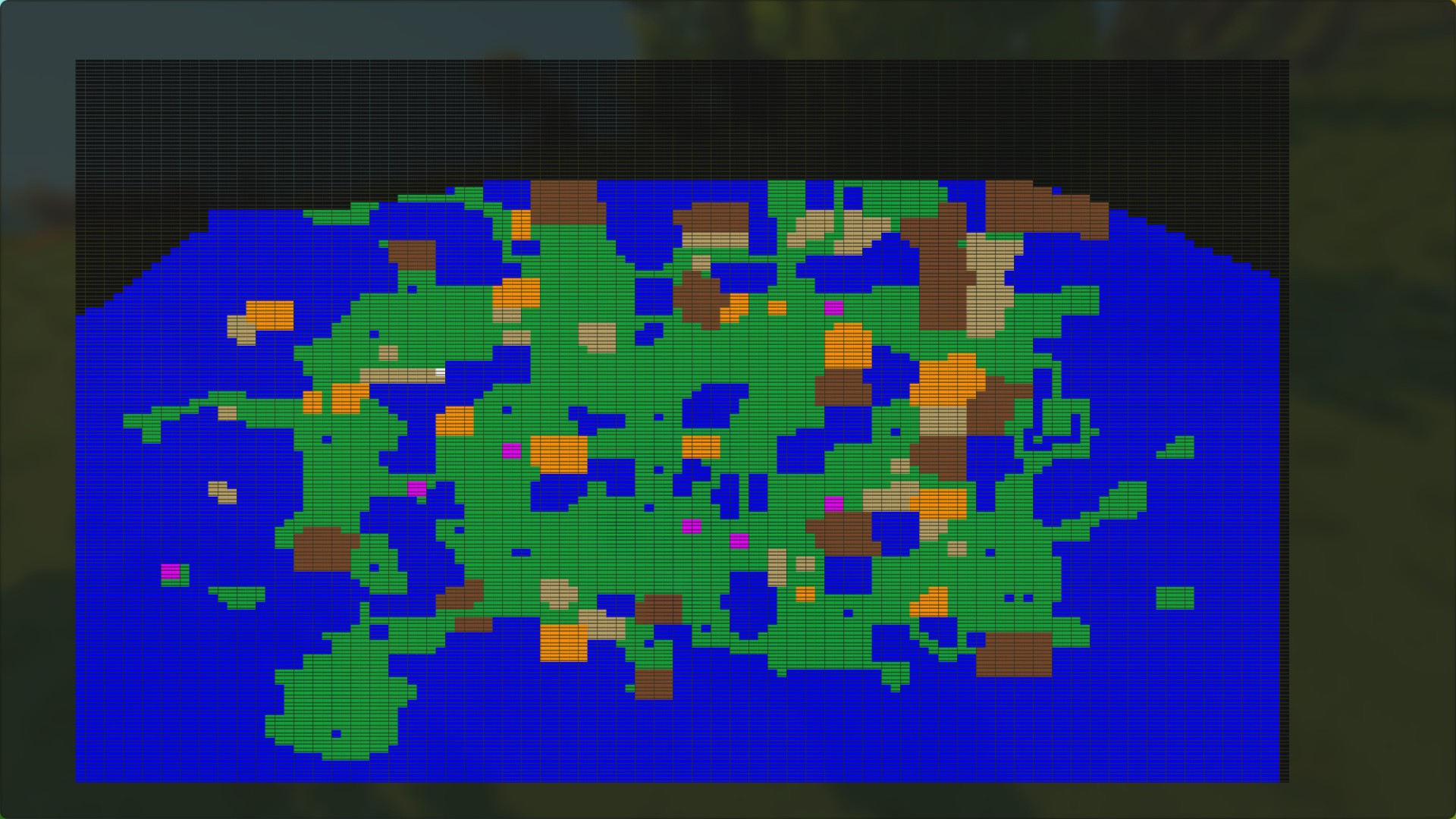
Map Mod 2.0 - Now with more colors to help you find the rare biomes, like the desert and autumn forest. Legend ---------- Light Brown - Desert Dark Brown - Burnt Forest Orange - Autumn Forest Purple - Chemical lake Green - grassy biomes Blue - water White - player location Black - undiscovered area Please note: Using a custom game means you'll be starting a new world. If you need the map in your current world, you'll need to use the file mod version instead, found here: https://steamcommunity.com/sharedfiles/filedetails/?id=2104768903 Install and usage instructions: 1 - Click SUBSCRIBE above. 2 - Start Scrap Mechanic. Once in the main menu, click PLAY. 3 - Select CUSTOM GAME. It's a smaller button kind of hidden in the top right-hand corner. 4 - Select NEW GAME, then Xeridox's Map Mod. Start getting excited, you're almost there... 5 - Type in a name for your world, then click PLAY. 6 - From inside the game, open the chat window (default key is ENTER) then type /map and press enter. The map should open. 7 - Repeat Step 6 as needed.
Comments
0 total- No comments yet. Be first.