
Wordle in Scrap Mechanic
by Fyrewire
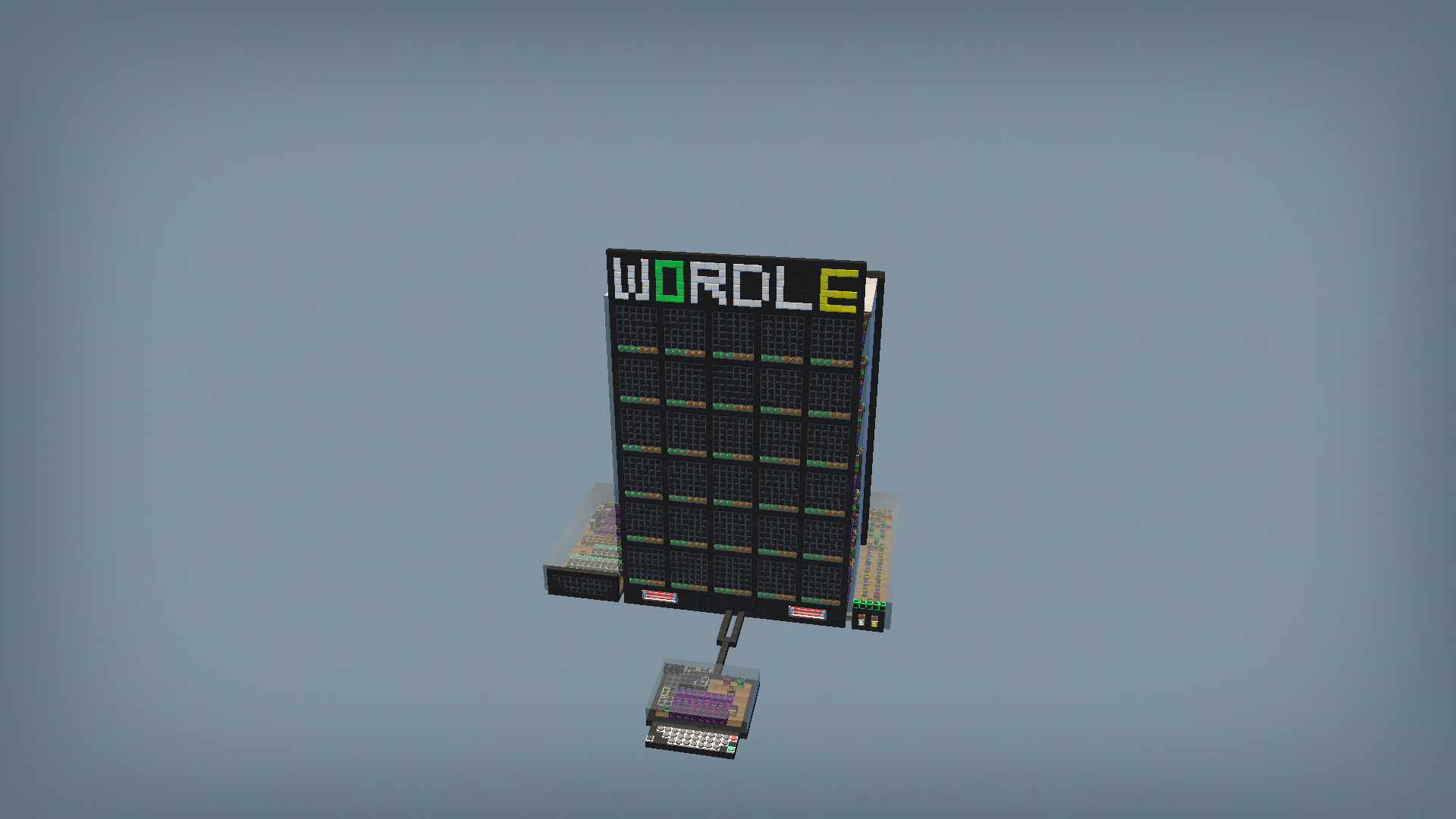
Based on the Wordle game currently available on the New York Times Website Instructions: spawn in, re place it on the lift and set it down. Weld if you need to. Machine will flash for a bit. Wait until the green light above the panel with 2 buttons and lights is illuminated. This means the machine is ready to work. The front side is the one facing the board, with the gray keyboard. Gamemodes: From the gray keyboard side, look on the right, there will be 2 buttons. The one on the left will let you play whatever word you (or someone else) enter(s) on the other side with the orange keyboard (see section: "To enter a word for someone else to guess") The right button will randomly select one of 7 pre included words of varying difficulty. Select the gamemode you want to play. To Play: after choosing your gamemode, use the gray keyboard to enter a guess. You have to hold the button down until the letter you enter appears on screen. The layout of the keyboard is QWERTY. see your own keyboard for what letter is there. If you enter a letter wrong, press red, it is backspace. To reset the game and keep the word you are guessing, press the singular gray button on the left side of the keyboard. To enter your 5 letter guess, press the green button, it will be entered and the next row of guesses will be selected. If the letter of your guess is in the same spot as it is in the answer, then the green light below it will illuminate. If it is in the word, but you have placed it in the wrong spot, it will be yellow. Warning, if both lights illuminate, that means there is a double letter but you have it in one of the right places. Double letters are wierd, I couldnt figure out how to get them to work 100 percent properly. To win, simply guess the word correctly at any time. It will make a happy noise and illuminate the win screen at the bottom. If you do not guess the word within 6 attempts, the game will make a sad noise and illuiminate the loss screen. The game will reset afterward, and you will need to choose what gamemode you want to play next at any time. To enter a word for someone else to guess: on the orange keyboard at the back, type in your word. if you mistype, press the red button for backspace. To enter your word, press the green button. A green light on that side will illuminate to confirm that this gamemode has been selected, and guessing can begin. If you want to replay the guessed word, simply select the gamemode again from the selector panel on the right (as seen by the gray keyboard). You do not need to reenter your custom word until you want to change it. Additional features: On the left side (as seen from gray keyboard) is the guessed letters panel. any letters you have guessed will be illuminated in order to narrow down what letters you havent guessed yet. The ones you havent guessed yet will be unlit. The guess panel will reset upon losing or winning.
Comments
0 total- No comments yet. Be first.